Shopify / Japanese storefront review
Before translating a Shopify store, separate evidence from assumptions
A store can display Japanese text and a yen price while important questions remain unanswered. Is the product button readable at a narrow browser width? Can a buyer find the shipping information? Has anyone actually checked the purchase journey?
Those are different kinds of questions. Translating more pages does not answer all of them.
I built Japan Launch Check, an independent project, to help store owners and agencies separate visible page information, their own answers, and work that still needs evidence. The free public checklist shows the approach. It is a planning tool, not a certification that a store is ready to sell in Japan.
Start with three evidence categories
Before a broad translation project, choose a storefront, a Japanese page, and a representative product page. Keep the initial scope small and record what each finding is based on:
- Public-page observation: wording, a policy link, or a button observed on an agreed page at a specified browser width.
- Merchant answer: an owner says a setting or test has been checked. Keep the answer attributed to the owner.
- Unconfirmed: the relevant page, setting, or behavior has not been checked. Leave it unconfirmed until evidence is available.
A yen marker, for example, is a visible page detail. It does not establish the final checkout currency, an available Japan shipping option, or a successful purchase.
What the free checklist actually does
The public version records up to three page URLs and the owner's setting answers, then exports CSV, Markdown, and JSON. Saved JSON can be reopened for editing.
Newly entered URLs are not fetched. The public tool does not inspect those pages: HTML checks remain unconfirmed. An affirmative setting answer remains a merchant-reported answer, rather than an independently verified result.
The technical choice is deliberate. The static preview creates a preview-mode record from the inputs and passes it through the report and export code. It does not call the local MVP's page-fetching API. This gives a team a portable starting record without presenting data entry as a website scan.
What a human review adds
The manual review checks the agreed public pages at desktop and mobile browser widths. It can examine important Japanese wording, the main public navigation, and whether a label wraps harmlessly or becomes clipped. Browser-width review is not physical-device testing.
The deliverable turns findings into an English report and an action-list CSV: page location, evidence, priority, proposed next step, and remaining unknowns. The fictional manual-review example shows this format.
In that example, Hikari Objects is a fictional store. An owner answer about missing Japan shipping is a follow-up, not a verified checkout defect. A note about an awkward Japanese product button is an illustration, not an actual screenshot or customer finding. Store settings and purchase questions remain owner follow-ups outside the public-page review.
Run your own review with the English DIY workbook
The Japan Storefront QA Workbook — Shopify Edition helps you turn 24 manual checks into reproducible issue records you can hand to a developer. The downloadable ZIP includes a 24-check CSV, a blank 17-column issue log, three fictional example records, a developer handoff template, and HTML/text instructions.
If a required test fixture is unavailable, record NOT_RUN. Keep observed results, owner reports, and unconfirmed items separate.
One check, and what you record
Check JP06 — Narrow product button asks you to inspect the selected product CTA and a long Japanese variant label at a recorded 390 CSS-pixel browser width. The expected result is that the complete label and actionable control remain visible without clipping. Capture the width and control; a browser width is not a physical-device test.
This means opening the agreed page, setting and recording the browser width, inspecting the control, and recording what you actually observe. The workbook does not do these steps for you. If you need somebody to perform the review, use the separate pilot below.
Here is an excerpt from EX01, a fictional filled record rather than a client finding:
- page_url:
https://example.invalid/ja/products/sample - observed_result: Fictional note: last characters clipped
- next_action: Inspect actual agreed page before confirming finding
- basis / status:
FICTIONAL_OBSERVATION/ILLUSTRATION_ONLY - evidence / recheck: No real screenshot / NOT PERFORMED
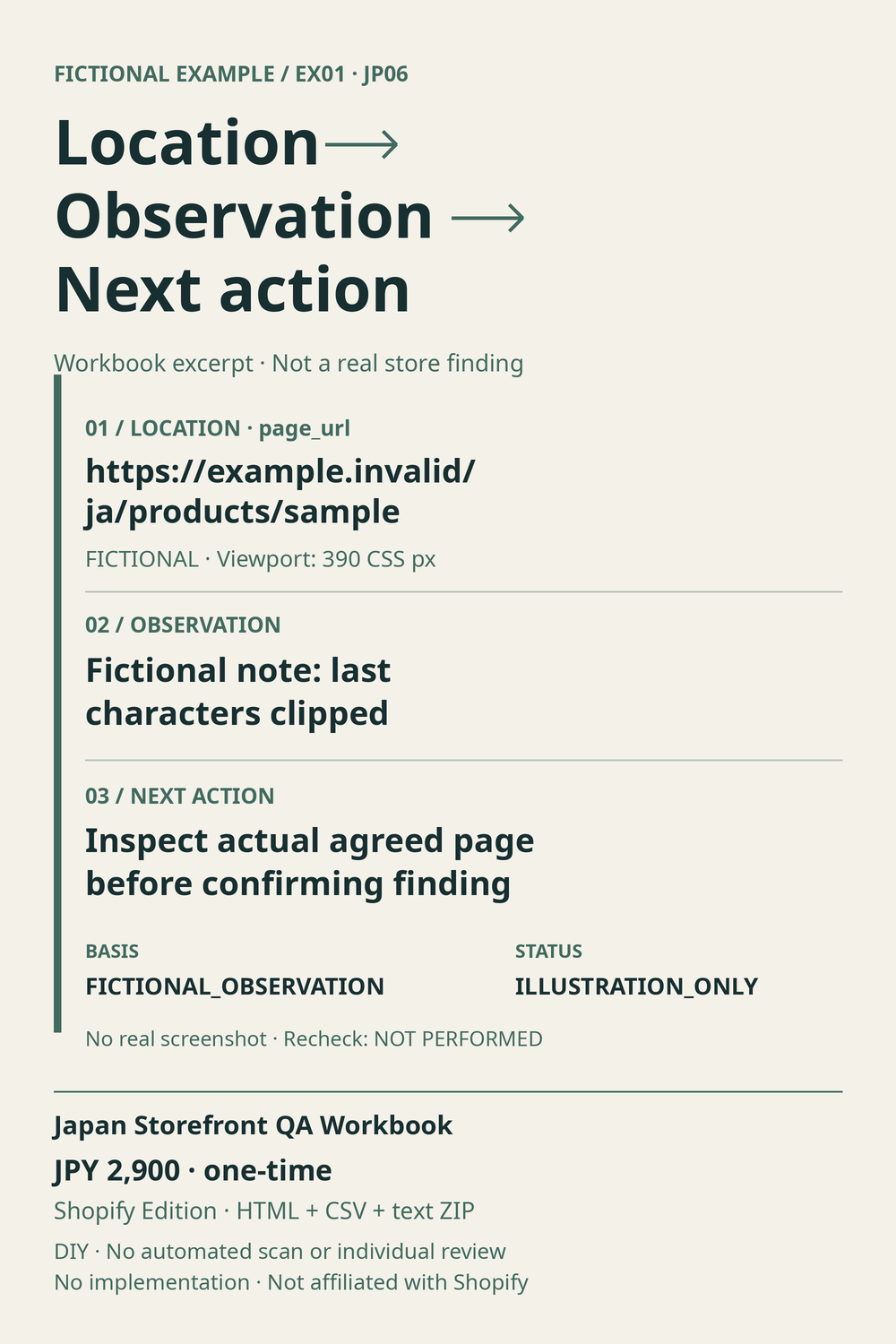
The image uses plain-language labels; Location, Observation, and Next action correspond to the CSV columns page_url, observed_result, and next_action. Replace the illustration with evidence from your agreed scope before treating it as a finding.
The price is JPY 2,900, one-time purchase. You run the checks yourself; no automatic scanner, individual store review, or implementation is included. The files are HTML, CSV and text, not a pre-rendered PDF, and do not unlock free-demo features. International payment availability and post-purchase download have not been independently tested. View the workbook and purchase requirements on BOOTH.
For a tailored review, the separate $149 pilot below remains available.
A bounded review pilot
The published pilot starts at $149 for one store, up to three public URLs, and up to 30 agreed key Japanese strings. It includes an English report plus CSV and one recheck of previously reported issues in the same scope, requested within seven days of delivery.
Before purchase, we agree scope, access, permission for AI-assisted review, and the deadline, and confirm that the work fits the pilot's three-hour service-work allowance. Standard delivery is five calendar days after scope agreement, a funded order, and complete inputs.
The scope excludes admin or configuration changes, code implementation, full-site translation, checkout or test-purchase testing, and legal certification. I have not established paid demand, customer results, successful purchases, or measured savings from this project.
AI disclosure: An AI agent prepared this article from the owner's self-built project, source files, and fictional manual-review example. The example is illustrative; it does not describe a real client engagement. This project is independent and has no official Shopify affiliation.
If your store needs a small, clearly defined Japanese storefront review, discuss the Shopify Japanese Storefront Review Pilot on Contra.